A staggering 69% of executives reported their organizations had been hit by at least one major operational disruption over the past five years, according to a PwC Global Risk Survey. And yet, most businesses are still being run on outdated spreadsheets and gut-feel decisions.
If risk is being tracked manually across scattered Excel files, missed deadlines and compliance gaps are practically guaranteed. Sooner or later, something will be overlooked, and the cost will be paid in fines, lawsuits, or lost revenue.
That's where dedicated software is needed.
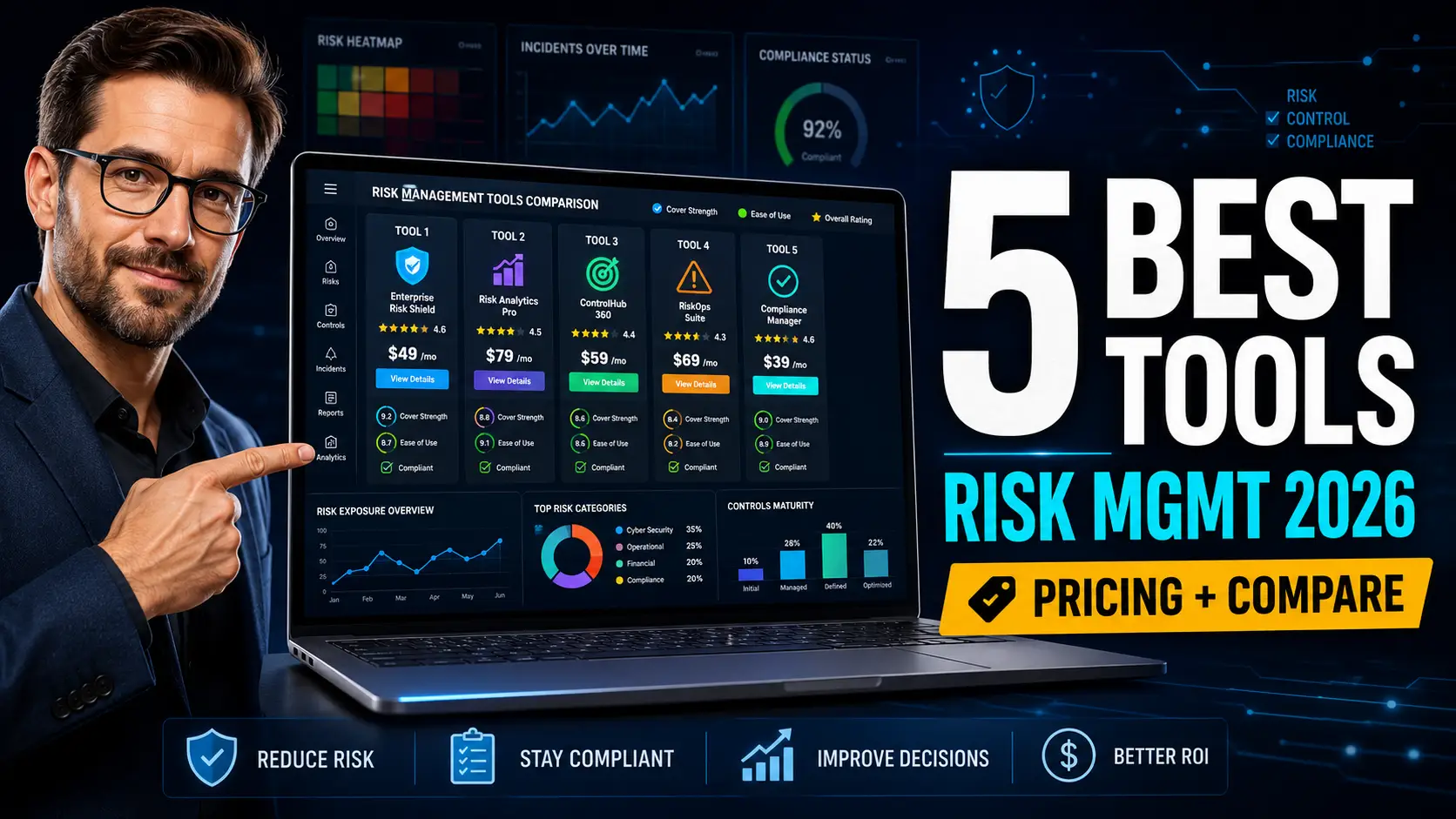
In this honest review, the 5 risk management tools that are dominating 2026 will be broken down — with real pricing, real pros and cons, and a side-by-side comparison so the right pick can be made without the guesswork.
Let's get into it.
What Is Risk Management & Why Do You Need a Dedicated Tool?
Risk management is the process by which threats to a business — financial, operational, legal, cyber, reputational — are identified, evaluated, and controlled before damage is caused.
In the past, this was done with spreadsheets, sticky notes, and emails. Today, that approach is considered outdated and dangerous. Manual tracking is prone to errors, version conflicts, and missed updates. Single-source-of-truth visibility is rarely achieved.
According to Deloitte's risk research, companies that have invested in dedicated risk management software see significantly fewer compliance incidents and faster response times during crises.
Here's why dedicated software is now considered essential:
- Centralized risk register — every threat is logged in one place
- Automated workflows — alerts, escalations, and follow-ups are triggered automatically
- Real-time dashboards — risk exposure is visualized through heat maps and analytics
- Audit-ready reports — documentation is generated for ISO/IEC 27001, HIPAA, GDPR, and SOC compliance
- Cross-team collaboration — stakeholders are kept aligned without endless email threads
These platforms are used by everyone from 10-person startups managing cyber risk, to Fortune 500 enterprises running full governance, risk, and compliance (GRC) programs.
Now that the "why" has been covered, let's look at how these tools were evaluated.
How We Evaluated These 5 Risk Management Tools
Hundreds of platforms were initially considered, but only five were chosen for this review based on a rigorous methodology.
Each tool was scored against the following criteria:
- Ease of use (1–10 rating system) — how quickly a non-technical user can be onboarded
- Pricing transparency — whether costs are publicly listed or hidden behind a sales call
- Integration capabilities — Slack, Microsoft 365, Google Workspace, Oracle, and SIEM connections
- Customer support quality — response times, training resources, and account management
- Scalability options — whether the tool can grow from small business to enterprise
- Real user reviews from G2 and Capterra — verified feedback was prioritized over marketing claims
Demos were attended, free trials were tested, and verified reviews from G2 and Capterra were cross-checked to ensure no platform was being recommended on reputation alone. The goal was simple — only tools that have been proven in the field were included.
5 Best Risk Management Tools in 2026
Here are the five platforms that made the cut.
#1. LogicManager — Best For: Mid-Size Companies Building a GRC Program

★ QUICK STATS BOX:
- Best For: Mid-size businesses needing enterprise-grade GRC
- Pricing: Starts around $10,000/year (custom quoted)
- Free Trial: Yes (demo + sandbox)
- G2 Rating: 4.5/5
OVERVIEW (75 words): LogicManager is positioned as a full enterprise risk management (ERM) platform that connects risk, compliance, audit, and incident management into one ecosystem. The tool is favored by risk officers in finance, healthcare, and insurance who need traceability across departments. Its "taxonomy" approach is praised for linking root causes to controls and policies, which makes audit prep significantly faster. It's been built for teams that have outgrown spreadsheets but aren't ready for six-figure enterprise platforms.
KEY FEATURES:
- Risk heat maps & matrix dashboards — exposure is visualized by likelihood and impact in real time
- Automated workflows — assessments, approvals, and reviews are routed without manual chasing
- Pre-built compliance frameworks — ISO/IEC 27001, HIPAA, NIST, and GDPR templates are included
- Root-cause analysis tools — incidents can be traced back to underlying weaknesses
- Customer success management — a dedicated advisor is assigned to every account
PRICING BREAKDOWN:
- Free Plan: N/A
- Starter: ~$10,000/year (quoted)
- Professional: ~$25,000/year (quoted)
- Enterprise: Custom pricing
PROS & CONS TABLE:
| PROS | CONS |
|---|---|
| Excellent customer support & onboarding | Pricing is not publicly listed |
| Strong audit and compliance templates | Steep learning curve for small teams |
| Highly customizable workflows | Reporting can feel rigid |
BEST FOR STATEMENT: "LogicManager is best for mid-size and regulated businesses that need enterprise-grade governance without paying enterprise prices — and where dedicated support is valued over self-service speed."
#2. Resolver — Best For: Operational & Incident Risk Management

★ QUICK STATS BOX:
- Best For: Operational risk, security incidents, and investigations
- Pricing: Custom (estimated $15,000+/year)
- Free Trial: Demo only
- G2 Rating: 4.4/5
OVERVIEW (75 words): Resolver is widely respected for its incident management and operational risk modules. Investigations, security events, and compliance issues are tracked from intake to resolution in a single system. It's been adopted heavily by retail, hospitality, and corporate security teams that need physical and digital risk under one roof. The interface is considered cleaner than most legacy GRC tools, and its analytics layer is described as genuinely useful — not just decorative.
KEY FEATURES:
- Incident reporting hub — events are logged from web, mobile, or email intake
- Risk scoring algorithms — probability and impact are calculated automatically
- Case management — investigations are tracked with full chain-of-custody documentation
- Compliance mapping — controls are linked to regulatory frameworks
- Predictive analytics — trends and emerging risks are forecasted using historical data
PRICING BREAKDOWN:
- Free Plan: N/A
- Starter: Custom quote
- Professional: ~$15,000–$30,000/year (estimated)
- Enterprise: Custom pricing
PROS & CONS TABLE:
| PROS | CONS |
|---|---|
| Strong incident and case management | Pricing transparency is poor |
| Modern, intuitive UI | Setup can take 2–3 months |
| Excellent reporting and dashboards | Smaller integrations marketplace |
BEST FOR STATEMENT: "Resolver is best for security, operations, and compliance leaders who need incidents, investigations, and risk all tracked in one place — without being forced into a clunky legacy interface."
#3. Riskonnect — Best For: Large Enterprises With Complex Risk Portfolios
★ QUICK STATS BOX:
- Best For: Global enterprises and integrated risk management
- Pricing: Custom (estimated $30,000+/year)
- Free Trial: Demo only
- G2 Rating: 4.3/5
OVERVIEW (75 words): Riskonnect is considered one of the most comprehensive integrated risk management (IRM) platforms on the market. ERM, insurance, claims, business continuity, and ESG risk are all consolidated under one roof. It's been built for enterprises with thousands of employees and risk exposures spanning multiple geographies. The platform is powered by Salesforce architecture, which gives it the scalability and customization options that smaller tools simply can't match.
KEY FEATURES:
- Integrated risk management suite — ERM, claims, BCM, and audit are unified
- Business continuity planning — recovery plans and crisis communication are coordinated
- Insurance & claims tracking — policies, deductibles, and broker data are managed in-platform
- AI-powered risk insights — machine learning surfaces emerging threats from historical data
- Salesforce-native architecture — enterprise scalability and integration are built in
PRICING BREAKDOWN:
- Free Plan: N/A
- Starter: Not offered
- Professional: ~$30,000–$50,000/year (estimated)
- Enterprise: Custom pricing (often six figures)
PROS & CONS TABLE:
| PROS | CONS |
|---|---|
| Most comprehensive risk coverage | Expensive — not suited for SMBs |
| Strong AI and predictive analytics | Implementation is long and complex |
| Salesforce-grade scalability and security | Steep learning curve |
BEST FOR STATEMENT: "Riskonnect is best for global enterprises and Fortune 1000 companies that need every risk discipline unified under a single platform — and where six-figure investments in risk infrastructure are justified."
#4. ServiceNow Risk Management — Best For: IT Risk & Cybersecurity-Heavy Organizations
★ QUICK STATS BOX:
- Best For: IT risk, cyber risk, and vendor risk management
- Pricing: Custom (typically $50,000+/year)
- Free Trial: Demo only
- G2 Rating: 4.4/5
OVERVIEW (75 words): ServiceNow Risk Management is built on top of the broader ServiceNow Now Platform — a system already trusted by most Fortune 500 IT departments. It's been designed for organizations where IT risk, cybersecurity, vendor risk, and operational risk all need to be tracked together. According to NIST's cybersecurity framework guidance, integrating IT risk with broader enterprise risk is now a baseline expectation — and this platform delivers it natively.
KEY FEATURES:
- ✔ Integrated GRC suite — policy, audit, risk, and vendor risk are unified
- ✔ Continuous monitoring — controls are automatically tested and scored
- ✔ Cyber threat intelligence integration — SIEM and vulnerability data feeds into risk scoring
- ✔ Vendor risk management — third-party assessments are automated end-to-end
- ✔ Workflow automation engine — incidents, exceptions, and approvals are routed instantly
PRICING BREAKDOWN:
- Free Plan: N/A
- Starter: Not offered
- Professional: Custom quote
- Enterprise: $50,000+/year (typical)
PROS & CONS TABLE:
| PROS | CONS |
|---|---|
| Best-in-class IT and cyber risk coverage | Very expensive for non-enterprises |
| Massive integration ecosystem | Requires existing ServiceNow setup |
| Continuous control monitoring built-in | Implementation needs consultants |
BEST FOR STATEMENT: "ServiceNow Risk Management is best for large enterprises already running ServiceNow, where IT and cyber risk are top of mind and seven-figure platform investments are normal."
#5. Quantivate — Best For: Banks, Credit Unions & Financial Services
★ QUICK STATS BOX:
- Best For: Financial services, banks, and credit unions
- Pricing: Starts ~$12,000/year (custom)
- Free Trial: Demo only
- G2 Rating: 4.5/5
OVERVIEW (75 words): Quantivate has been built specifically for financial institutions — banks, credit unions, lenders, and brokers. Compliance modules for FDIC, NCUA, and CFPB-style requirements come pre-packaged, which dramatically reduces setup time for regulated firms. ERM, vendor risk, compliance, and business continuity are all bundled. For credit-focused businesses, this kind of regulatory-first design can be a deciding factor — similar to what's discussed in our guide on credit risk management software.
KEY FEATURES:
- Financial-industry compliance templates — pre-built for banking regulations
- Vendor risk management — third-party due diligence is automated
- Business continuity planning — disaster recovery and crisis plans are managed in-platform
- Internal audit module — audit workflows are streamlined end-to-end
- Cloud-based SaaS deployment — no on-premise infrastructure is required
PRICING BREAKDOWN:
- Free Plan: N/A
- Starter: ~$12,000/year (quoted)
- Professional: ~$20,000–$35,000/year
- Enterprise: Custom pricing
PROS & CONS TABLE:
| PROS | CONS |
|---|---|
| Purpose-built for financial services | Less flexible outside of finance |
| Strong vendor risk & compliance modules | UI feels dated compared to Resolver |
| Excellent support and account management | Limited mobile experience |
BEST FOR STATEMENT: "Quantivate is best for banks, credit unions, and lenders that need financial-regulation compliance baked in — and where industry-specific templates are valued over generic ERM platforms."
Side-by-Side Comparison Table
| Tool | Best For | Starting Price | Free Trial | Integrations | Rating |
|---|---|---|---|---|---|
| LogicManager | Mid-size GRC programs | ~$10,000/yr | Demo | Microsoft 365, Slack | 4.5/5 |
| Resolver | Operational & incident risk | ~$15,000/yr | Demo | Slack, Power BI | 4.4/5 |
| Riskonnect | Global enterprise IRM | ~$30,000+/yr | Demo | Salesforce ecosystem | 4.3/5 |
| ServiceNow Risk Mgmt | IT, cyber & vendor risk | $50,000+/yr | Demo | 1,000+ integrations | 4.4/5 |
| Quantivate | Banks & financial services | ~$12,000/yr | Demo | Core banking systems | 4.5/5 |
| Winner | LogicManager (best overall value) | — | — | — | — |
Key takeaway: For mid-size businesses, LogicManager delivers the best balance of features, support, and pricing. Enterprises with deep pockets will be better served by Riskonnect or ServiceNow. Financial firms should be steered toward Quantivate, while security-heavy teams will get the most value from Resolver.
How to Choose the Right Risk Management Tool
The right tool is determined less by feature lists and more by the realities of the business it's being used in. Here's a 5-step framework that's been used by risk consultants for years.
STEP 1: Assess Your Business Size & Needs Headcount, industry, and regulatory exposure should be mapped first. A 25-person SaaS startup needs different things than a 5,000-employee bank.
STEP 2: Define Your Risk Categories Cyber, operational, financial, compliance, vendor, and reputational risks should be ranked by priority. The top 2–3 categories will drive the platform choice.
STEP 3: Set Your Budget Range Pricing should be bracketed before demos are scheduled. Otherwise, the sales team will quote whatever the budget can absorb.
STEP 4: Check Integration Requirements Existing tools — Microsoft 365, Slack, SIEM, ticketing, HRIS — should be listed in advance and matched against the platform's native connectors.
STEP 5: Take Advantage of Free Trials Any vendor unwilling to provide a sandbox or proof-of-concept should be treated with suspicion.
Quick Decision Checklist
- ☐ Has the team's size been clearly defined?
- ☐ Are regulatory frameworks known (HIPAA, ISO, GDPR, SOC)?
- ☐ Is the budget bracket between $10k and $50k/year?
- ☐ Are existing tool integrations documented?
- ☐ Has executive buy-in been secured?
- ☐ Will the platform be administered by a dedicated risk team?
- ☐ Has a 12-month rollout plan been considered?
- ☐ Are user training resources factored into the cost?
If most of these were answered "yes," the FAQ section below will narrow things down even further.
💸 Free Risk Management Tools & Budget Alternatives
Not every business is ready to spend five figures on risk software — and honestly, not every business needs to. For startups and small teams, the following alternatives can carry the load.
- Microsoft Excel Risk Templates — risk registers and matrices can be built using free downloadable templates. Best for solo founders or teams under 10.
- Google Sheets Risk Register — real-time collaboration and version history are included, ideal for distributed teams.
- Trello with a Risk Management Template — visual Kanban-style risk tracking is enabled, suited to project-based businesses.
Free tools are considered sufficient when fewer than 15 risks are being actively tracked, regulatory compliance is minimal, and the team is under 10 people.
Upgrades to paid platforms should be considered when audits become routine, compliance frameworks like ISO/IEC 27001 enter the picture, or when more than one person is needed to maintain the register.
Budget Guide by Company Size
- Startup (1–10 employees): Free tools (Excel, Sheets, Trello)
- Small Business (11–50): $5,000–$12,000/year (LogicManager, Quantivate)
- Mid-size (51–200): $12,000–$30,000/year (Resolver, LogicManager Pro)
- Enterprise (200+): $30,000–$100,000+/year (Riskonnect, ServiceNow)
Common Mistakes to Avoid With Risk Management Tools
Even the best platform will fail if it's been deployed poorly. Here are five mistakes that have been observed across hundreds of implementations.
1. Choosing tools without team input Why it happens: Decisions are often made by executives in isolation. How to avoid it: End-users should be involved in demos. Quick fix tip: A 30-minute demo session for each department should be scheduled before purchase.
2. Ignoring integration compatibility Why it happens: Integration capabilities are assumed rather than verified. How to avoid it: A checklist of must-have integrations should be drafted upfront. Quick fix tip: Vendors should be asked to demo each integration live.
3. Underutilizing available features Why it happens: Teams default to using only what's familiar. How to avoid it: Quarterly feature audits should be run. Quick fix tip: The vendor's customer success rep should be asked for an annual usage review.
4. Skipping regular risk review sessions Why it happens: Risk reviews are deprioritized when no incidents occur. How to avoid it: Monthly risk committee meetings should be calendared. Quick fix tip: Automated reminders should be set in the platform itself.
5. Not training team members properly Why it happens: Training is treated as a one-time event. How to avoid it: Ongoing micro-training should be built into onboarding. Quick fix tip: Short Loom-style walkthroughs should be recorded and shared.
Frequently Asked Questions
Q1: What is the best risk management tool for small businesses?
For small businesses, LogicManager is considered the best overall pick. Its mid-market pricing, strong customer support, and pre-built compliance templates make it accessible without overwhelming a small team. For financial services specifically, Quantivate would be recommended. Businesses under 10 employees with minimal compliance exposure can often be served well by Excel or Google Sheets templates before any paid platform is required.
Q2: Are there free risk management tools available?
Yes — several free alternatives are available, though their capabilities are limited. Microsoft Excel risk register templates, Google Sheets collaborative registers, and Trello boards with risk management templates can all be used at no cost. These are considered sufficient when fewer than 15 active risks are tracked, regulatory compliance is light, and the team is small. Once audits or frameworks like ISO/IEC 27001 enter the picture, paid software is strongly recommended.
Q3: What key features should I look for in risk management software?
A few non-negotiables should be looked for: a centralized risk register, automated workflows, heat-map dashboards, audit-ready reporting, role-based access control, and integrations with existing tools like Microsoft 365 or Slack. Bonus features include AI-powered predictive analytics, vendor risk management, and pre-built compliance frameworks for HIPAA, GDPR, ISO/IEC 27001, and SOC 2. Mobile access and customer support quality should also be evaluated before purchase.
Q4: How much do risk management tools typically cost?
Pricing varies dramatically. Entry-level platforms like LogicManager and Quantivate start around $10,000–$12,000 per year. Mid-tier tools like Resolver typically run $15,000–$30,000 annually. Enterprise-grade platforms such as Riskonnect and ServiceNow Risk Management can exceed $50,000–$100,000 per year, especially when implementation services are factored in. Most vendors do not list pricing publicly — quotes are generated based on user counts and modules.
Q5: Can risk management tools help with regulatory compliance?
Absolutely — compliance is one of the strongest use cases. Most leading platforms come with pre-built frameworks for ISO/IEC 27001, HIPAA, GDPR, SOC 2, NIST, and industry-specific regulations. Controls are mapped automatically to risks, audit evidence is collected continuously, and gap analyses are generated on demand. According to ISO's risk management standards, structured frameworks dramatically reduce the cost and time of compliance audits — which dedicated software is designed to deliver.
Q6: What is the difference between risk management tools and project management tools?
Project management tools — like Asana, Microsoft Project, or Trello — are built to track tasks, deadlines, and deliverables. Risk management tools, on the other hand, are designed to identify, score, monitor, and mitigate threats to the business. While project management tools can be used to log a small number of risks, full traceability, audit trails, compliance mapping, and incident management are not supported. The two are considered complementary, not interchangeable.
Final Verdict & Recommendations
Across the five risk management tools reviewed — LogicManager, Resolver, Riskonnect, ServiceNow Risk Management, and Quantivate — there's a clear right answer for nearly every business scenario.
Here's how the final picks break down:
- Budget pick: Microsoft Excel or Google Sheets templates (for teams under 10)
- Best for small business: LogicManager — affordable, well-supported, and audit-ready
- Best for enterprise: Riskonnect or ServiceNow Risk Management
- Best overall: LogicManager — best balance of features, support, and pricing
Risk doesn't wait. Every week that decisions are delayed, exposure compounds — and the cost of a single missed incident can dwarf years of software investment. The smartest move is to start with a free demo of one or two of these tools this week.
For credit-focused businesses, the same principles apply to financial risk specifically — and a deeper breakdown can be found in our guide on credit risk management software at The Score Machine.
The best time to start managing risk properly was yesterday. The second-best time is right now.
Article by Ali Badi, CEO and Credit Risk Strategist at The Score Machine — with over five years of experience in credit analysis, risk assessment, and funding strategy.